MENU
MENU
USB is a standardized technology, so it should always work. Or so you'd think. In practice, however, the world of USB has unfortunately become much more confusing. USB-C cables in particular vary significantly: Some cables only carry power, some only USB 2.0 data, while others can handle 5 Gbps, 10 Gbps, or more … and on the outside, many of these cables look nearly identical.
This is important for our USB line scan cameras because they are not simple chargers, but rather measuring devices that transmit data continuously. An unsuitable USB cable can therefore cause the camera to not be recognized at all, to function only intermittently, or for the connection to become unstable during measurement.
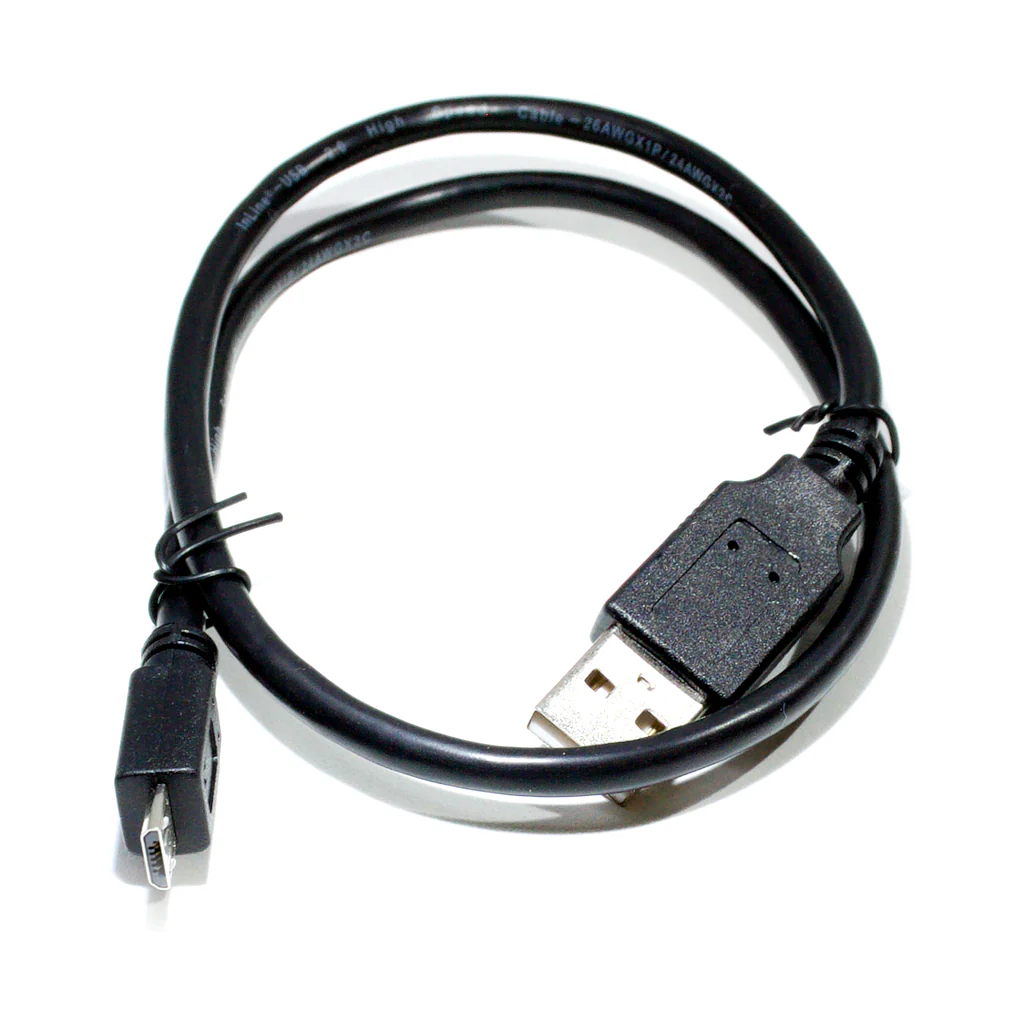
USB cable for connecting our USB line scan cameras to a computer or notebook; compatible with USB 2.0
Our LSMD series USB line scan cameras do not use a USB-C connector on the camera side. They use a Micro-USB-B connector and operate via USB 2.0 High Speed.
Therefore, no USB-C, USB 3.x, or USB4 cable is required to operate our cameras. What matters is that a genuine, fully wired USB 2.0 data cable is used, not a charging-only cable.
The following notes on USB-C, USB 3.x, and USB4 are intended as general cable knowledge. They explain typical sources of error with modern USB cables, adapters, hubs, and notebook ports. These topics become relevant, for example, when the camera is connected to a USB-C port on a notebook, via an adapter, or through a hub.
For example, an unsuitable or low-quality cable may cause the following symptoms:
This last point, in particular, is tricky: a cable may work perfectly well with simple devices, yet still be unsuitable for a camera that transmits data continuously.
A common mistake is using standard USB charging cables. These cables are designed to supply power to a smartphone, power bank, or other device. They are either unsuitable or only partially suitable for data transfer.
These cables may look like regular USB cables on the outside. However, they may lack the necessary data lines inside. This isn't a problem for a charger—but it is for a USB line scan camera. The camera may receive power, but it won't be able to communicate with the computer.
In short: A cable that can charge a smartphone is not necessarily a suitable data cable for a camera.
With standard USB-A and USB-B cables, the situation remained relatively straightforward for a long time. With USB 1.1 and USB 2.0, it was fairly easy to distinguish between plugs, sockets, and cables. USB 3.0 also remained largely backward-compatible mechanically; additional contacts enabled higher data transfer rates.
While USB-C has made the connector more convenient because it can be plugged in either way, it has also made the world of cables significantly more complicated. At first glance, a USB-C connector only indicates the shape of the connector, not the actual data rate it supports.
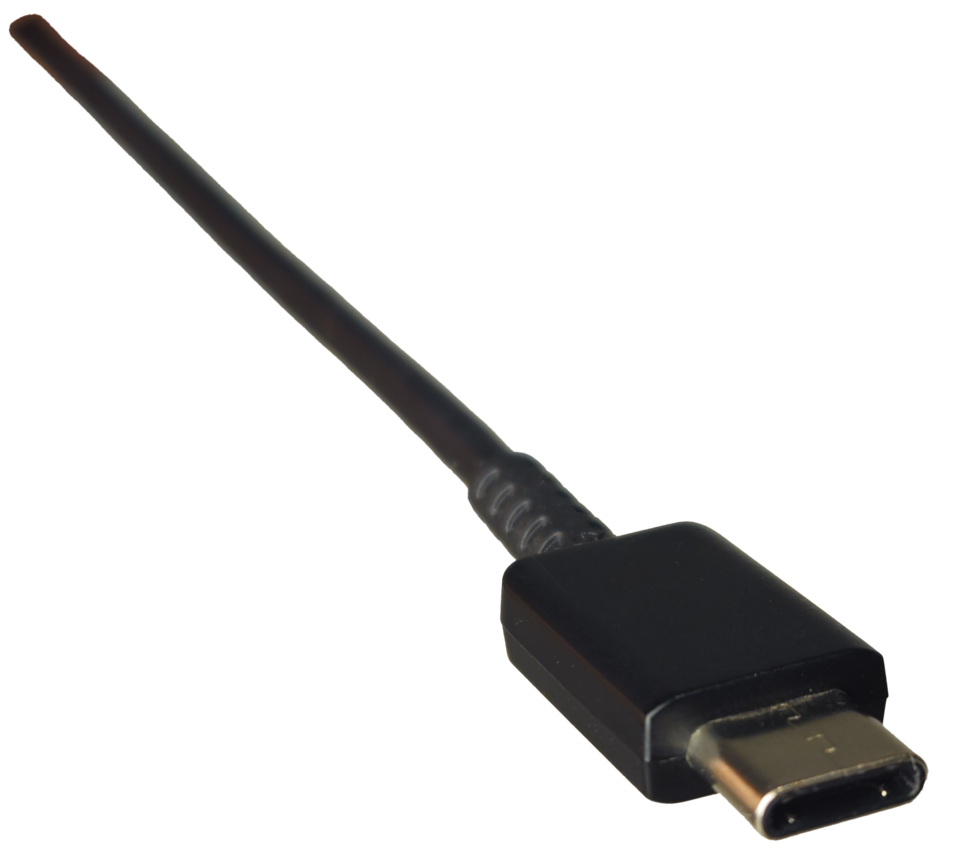
USB-C connector. (Image: Deergirl / Wikimedia Commons / CC0)
From the outside, this is often hard to tell. This is exactly where the cable mess begins—and yes, unfortunately, the ringmaster usually sports a USB-C logo.
Here is a simplified overview for your reference:
| Name | Typ. max. data rate |
|---|---|
| USB 1.0 Low Speed | 1.5 Mbps |
| USB 1.1 Full Speed | 12 Mbps |
| USB 2.0 High Speed | 480 Mbps |
| USB 3.0 / USB 3.2 Gen 1x1 | 5 Gbps |
| USB 3.1 / USB 3.2 Gen 2x1 | 10 Gbps |
| USB 3.2 Gen 2x2 | 20 Gbps |
| USB4 Gen 3x2 | 40 Gbps |
| USB4 Gen 4x2 | 80 Gbps |
Important: The names have been changed several times over the years. As a result, the information available in stores varies widely. In practice, it is not so much the name that matters, but rather the cable's actual guaranteed data rate.
USB-C connectors are mechanically rotationally symmetric, which means they can be plugged in either way. However, the cable must also properly support this feature electrically.
With very simple cables or those that are not fully wired, certain data lines may not be routed correctly or may not be present on both ends. In such cases, a device may or may not function, depending on which way it is plugged in. This is not normal behavior and is a strong indication that the cable is unsuitable for reliable measurement applications.
For everyday use on a smartphone, a cable like that might still work somehow. But for a camera that's supposed to provide reliable measurement data, that's not a good foundation.
USB 2.0 High Speed provides a theoretical data rate of 480 Mbps. For many devices, this is perfectly sufficient — including our USB line scan cameras, which use Micro-USB-B on the camera side and operate via USB 2.0.
For other USB devices, such as external SSDs, high-resolution cameras, fast frame grabbers, or docking stations, 480 Mbps may not be enough. In these cases, USB 3.x, USB4, or Thunderbolt connections may be required. It is therefore not enough for the connector to fit mechanically: the cable also has to support the required data rate.
For our USB line scan cameras, the key point is not to use the fastest possible USB-C or USB 3 cable. What matters is a short, high-quality, fully wired USB 2.0 data cable with a Micro-USB-B connector on the camera side. Charging-only cables or very cheap cables are not suitable.
For our USB line scan cameras, we recommend a short, high-quality USB 2.0 data cable with a Micro-USB-B connector on the camera side.
Please make sure that the cable is actually a data cable. A cable that can charge a smartphone is not automatically suitable for data transfer.
If possible, avoid very long cables, passive extensions, chains of adapters, and unspecified low-cost cables. In case of connection problems, the first step should always be to test another short, high-quality USB 2.0 data cable.
Important note: If the camera isn't recognized, the USB cable is one of the first potential causes of the problem that should be checked. In many support cases, the problem isn't the camera, the driver, or the software, but simply an incompatible cable.
Other USB devices may have different requirements depending on the application. External SSDs, fast cameras, docking stations, or monitors connected via USB-C require cables that are explicitly specified for the required data rate and use case. The connector shape alone is not a reliable criterion.
A cable that fits is not automatically a suitable cable. Our LSMD cameras require a genuine USB 2.0 data cable with a Micro-USB-B connector — not a charging-only cable.
Charging cables charge. Data cables transfer data. Measurement cameras need data cables.
If your camera isn't recognized, please check the following first:
If the camera is reliably recognized when connected directly to the PC using a high-quality, short data cable, the original cable or the chain of adapters was most likely the cause.
Not all USB cables are the same. Especially with USB-C, the connector shape alone does not tell you which data rate a cable actually supports or which conductors are present inside the cable.
For stable operation of our USB line scan cameras, however, the requirement is deliberately simple: a good, short, fully wired USB 2.0 data cable with a Micro-USB-B connector on the camera side is required. USB-C, USB 3.x, or USB4 are not required for the camera itself, but they may become relevant when adapters, hubs, or modern notebook ports are used.
Here you can easily ask a question or inquiry about our products:
Last update: 2026-05-20

EURECA Messtechnik GmbH
Deutz-Kalker Straße 35, D-50679 Köln

 Phone: +49 (0)221 952629-0
Fax: +49 (0)221 952629-9
info(at)eureca.de
www.eureca.de